kg777 App – Play Sports, Casino and Fish Games on Any Philippine Mobile Browser
The kg777 App page explains how Filipino players can access the full platform — sports betting, casino-style games, fish shooting, and more — directly from any Android or iOS browser without downloading anything from an app store. Whether you are in Metro Manila, Cebu, or anywhere else in the Philippines, this guide covers how to get started, what the mobile experience looks like, and how to add kg777 to your home screen for instant access.
What Is the kg777 App?
The kg777 App is not a traditional app store download — it is a fully mobile-optimised web platform that Filipino players can access directly through any Android or iOS browser without installing anything. You simply open kg777.biz in your mobile browser, log in to your account, and the entire platform — sports betting, fish shooting games, casino-style tables, and your account dashboard — is available right away. For players who want a shortcut that feels like a native app, you can add kg777 to your phone's home screen in a few taps, giving you one-touch access without going through a browser address bar every time. This approach means no storage space is used, no app store approval is needed, and updates happen automatically whenever you open the site. If you are new to the platform, creating a free account takes only a few minutes before you can explore everything kg777 has to offer on mobile.
What You Get on the kg777 Mobile Platform
Everything Filipino players need — sports, games, payments, and account access — all in one mobile browser tab.
Full Browser-Based Access
The entire kg777 platform runs in your mobile browser, which means there is nothing to download, no app store account required, and no waiting for installation to complete. The interface is built to be responsive, so it scales cleanly whether you are on a budget Android handset or a flagship iOS device. Touch controls are optimised for smaller screens, making navigation between sports markets, game categories, and your account dashboard smooth and intuitive. You can access kg777 from any browser you already use — Chrome, Safari, Firefox, or any other modern mobile browser works without issue.
Home Screen Shortcut Setup
Adding kg777 to your phone's home screen takes less than a minute and gives you a shortcut icon that looks and behaves like a native app. On Android using Chrome, tap the three-dot menu and select "Add to Home screen" — the icon will appear on your home screen immediately. On iOS using Safari, tap the Share button at the bottom of the screen and then select "Add to Home Screen" from the options. Once added, tapping the icon opens kg777 directly in full-screen mode without the browser address bar, making the experience feel much closer to a dedicated app. This is the fastest way for Filipino players to get back into their account and start playing without any extra steps.
Sports, Casino and Fish Games
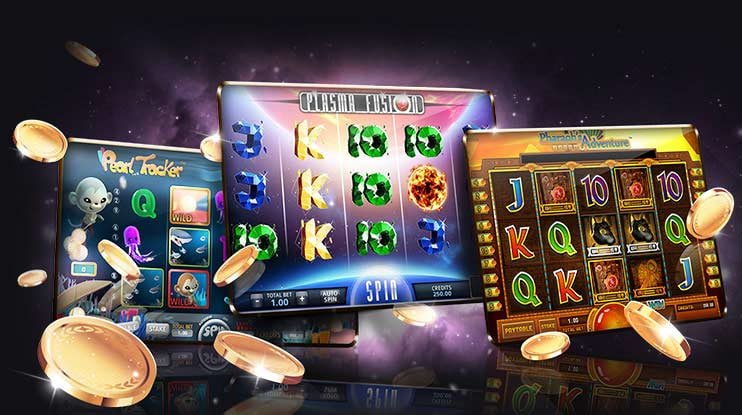
Once you are logged in on mobile, the full range of kg777 content is available — including the sports betting section for basketball and football, the casino section for live dealer tables and slot-style games, and the fish shooting games for arcade-style entertainment. All of these sections load and perform well on mobile browsers, with touch-friendly interfaces designed for smaller screens. You do not need to switch to a desktop to access any part of the platform — everything is available from the same mobile browser session. The Game Lobby gives you a single entry point to browse all available titles and categories in one place.
GCash and PHP Payments on Mobile
Filipino players can deposit and withdraw in Philippine pesos directly from the mobile platform using GCash and other supported local e-wallets. The payment flow is accessible from your account dashboard on mobile and works smoothly without needing to switch to a desktop browser. Most deposits are processed quickly so you can move straight to the games or betting markets without a long wait. All transactions are handled in PHP so there is no currency conversion involved, and the process is straightforward enough to complete in under two minutes on any mobile device. For a full breakdown of supported payment methods, the FAQ page has all the details.
How to Access kg777 on Your Phone in 3 Steps
Open Chrome on Android or Safari on iOS and type kg777.biz into the address bar. The site will load automatically in its mobile-optimised layout — no special settings or permissions are needed. If you want faster access next time, follow the home screen shortcut steps described in the features section above.
If you already have a kg777 account, tap Login and enter your credentials to get straight into your dashboard. New players can tap Register and complete the sign-up form in a few minutes — registration is free and your account is active immediately after you finish. Once logged in, your full account balance, game history, and all platform sections are accessible from the mobile interface.
From your mobile dashboard you can navigate to any section of the platform — sports betting, casino games, fish shooting, or the game lobby — using the main menu. Deposits and withdrawals in PHP are handled from the account section, and all game content loads directly in the browser without any additional plugins or downloads required.

kg777 Mobile App – Quick Reference
Key facts about the kg777 mobile experience for Filipino players.
| Feature | Details |
|---|---|
| Access Method | Mobile browser (Chrome, Safari, Firefox) — no download |
| Supported Devices | Android and iOS smartphones and tablets |
| Home Screen Shortcut | Available on both Android and iOS via browser menu |
| Available Content | Sports Betting, Casino, Fish Games, Game Lobby |
| Payment on Mobile | GCash and local PH e-wallets, deposits in PHP |
| Account Required | Yes — free registration at kg777 |
Common Questions About the kg777 Mobile App
Straight answers to what Filipino players ask most about mobile access on kg777.

Your Whole Gaming Platform, One Browser Tap Away
kg777 is built for Filipino players who want sports betting, casino-style entertainment, and fish shooting games accessible from any mobile phone — no app store, no download, no fuss. Register your free account now, add kg777 to your home screen, and you are ready to play from anywhere in the Philippines. If you have questions before signing up, the FAQ page covers everything you need to get started with confidence.